Are you ready to dive into your musical year? Spotify Wrapped is the ultimate way to reflect on your listening habits, favorite tracks, and most-played artists. But how do you actually see your Spotify Wrapped? In this comprehensive guide, we’ll walk you through every step to ensure you don’t miss out on this annual celebration of music!
What is Spotify Wrapped?
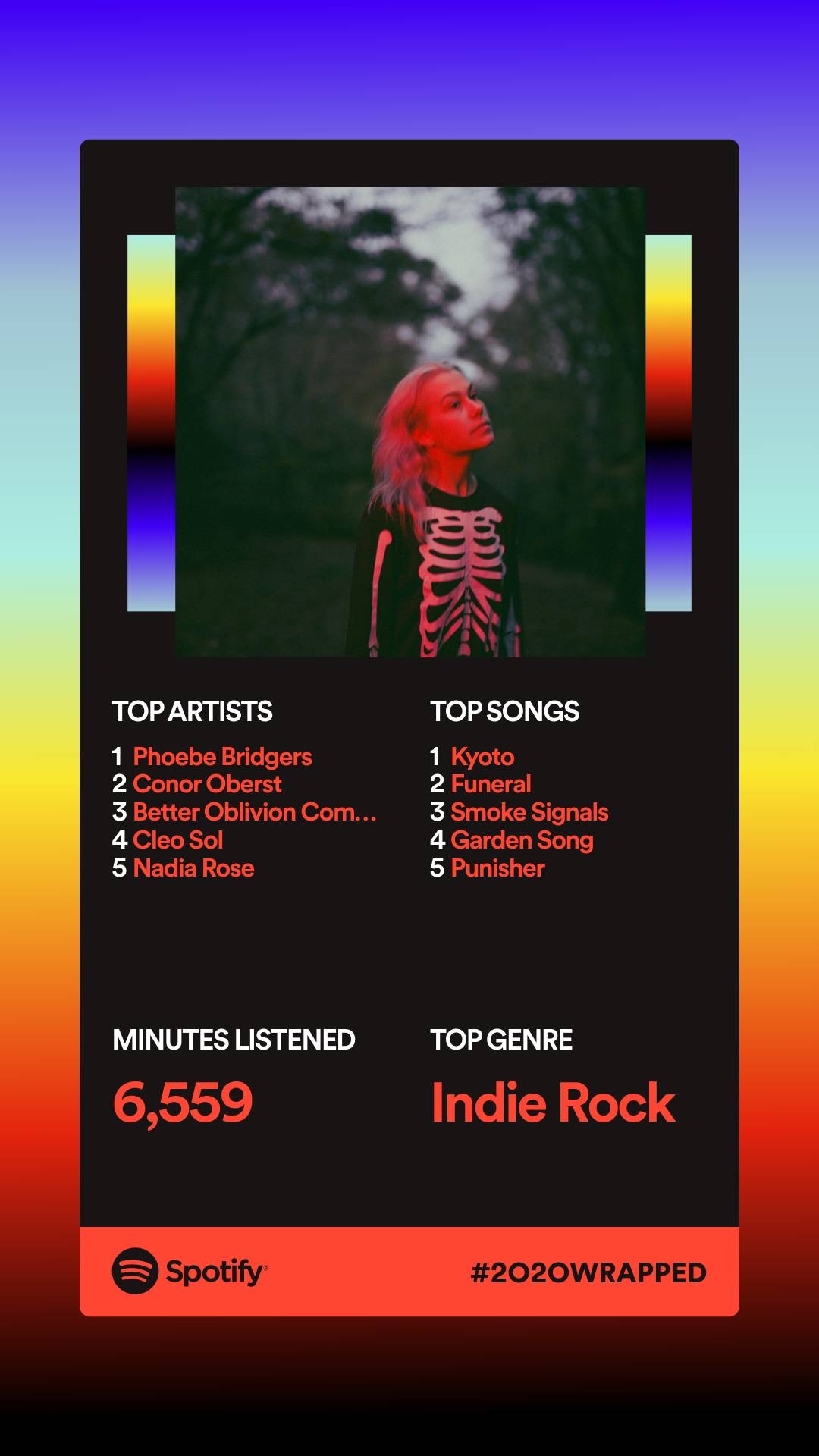
Spotify Wrapped is an annual tradition that Spotify users eagerly anticipate. It’s a personalized summary of your listening habits over the past year, showcasing your top songs, artists, genres, and even the total minutes you spent listening to music. It’s not just a fun recap; it’s a way to discover new music and share your tastes with friends!
When Does Spotify Wrapped Release?
Mark your calendars! Spotify Wrapped typically drops in early December. While the exact date can vary each year, Spotify usually teases the release on their social media channels. Keep an eye out for announcements so you can be among the first to see your Wrapped!
How to See Your Spotify Wrapped: Step-by-Step Guide
Ready to see your Spotify Wrapped? Follow these simple steps to unlock your personalized music summary:
Step 1: Open the Spotify App
First things first, make sure you have the Spotify app installed on your device. Whether you’re using a smartphone, tablet, or desktop, the app is your gateway to discovering your Wrapped. If you don’t have the app yet, download it from the official Spotify website.
Step 2: Log In to Your Account
Once you have the app open, log in to your Spotify account. If you’re using a shared device, ensure you’re logged into your own account to see your personalized Wrapped. If you’ve forgotten your password, don’t worry! Just click on “Forgot Password?” and follow the prompts to reset it.
Step 3: Look for the Wrapped Banner
After logging in, keep an eye out for the Wrapped banner on your home screen. Spotify usually features a prominent banner that says “Your Wrapped is Here!” Click on it to dive into your musical recap. If you don’t see it right away, don’t panic! Sometimes it takes a little while to appear, especially if you’re logging in right after the release.
Step 4: Explore Your Wrapped
Once you click on the Wrapped banner, you’ll be taken to a beautifully designed page showcasing your top songs, artists, and genres. Scroll through the different sections to explore your musical journey. You might be surprised by some of your top tracks!
Step 5: Share Your Wrapped
What’s the fun in keeping your Wrapped to yourself? Spotify makes it easy to share your Wrapped on social media. Look for the share button, and you can post your favorite stats on Instagram, Twitter, or Facebook. Show off your unique taste in music and see how your friends compare!
What to Expect in Your Spotify Wrapped
Your Spotify Wrapped is more than just a list of songs. Here’s what you can typically expect to find:
- Your Top Songs: A playlist of your most-played tracks of the year.
- Your Top Artists: A list of the artists you listened to the most.
- Your Top Genres: Discover the genres that defined your year.
- Listening Stats: Total minutes listened, number of songs played, and more!
- Shareable Cards: Fun graphics that you can share on social media.
Tips to Enhance Your Spotify Wrapped Experience
Want to make the most out of your Spotify Wrapped? Here are some tips:
- Listen Regularly: The more you listen, the more accurate your Wrapped will be. Make Spotify your go-to music source!
- Explore New Music: Use Spotify’s Discover Weekly and Release Radar features to find new artists and songs throughout the year.
- Engage with Playlists: Follow curated playlists and engage with Spotify’s recommendations to diversify your listening habits.
- Share with Friends: Compare your Wrapped with friends to see who has the best taste in music!
Common Issues When Accessing Spotify Wrapped
Sometimes, users encounter issues when trying to access their Wrapped. Here are some common problems and how to solve them:
- Wrapped Not Showing Up: If you don’t see the Wrapped banner, try logging out and back in, or check for app updates.
- Missing Stats: Ensure you’ve been an active Spotify user throughout the year. If you haven’t listened much, your Wrapped may be limited.
- Sharing Issues: If you’re having trouble sharing your Wrapped, check your app permissions and ensure you’re logged into your social media accounts.
Why You Should Care About Spotify Wrapped
Spotify Wrapped isn’t just a fun recap; it’s a celebration of your musical journey. Here’s why you should care:
- Reflect on Your Year: It’s a great way to look back on the music that shaped your experiences over the past year.
- Discover New Music: Your Wrapped can introduce you to new artists and genres you might have missed.
- Connect with Friends: Sharing your Wrapped can spark conversations and help you bond over music.
- Get Inspired: Use your Wrapped to create new playlists or set music goals for the upcoming year.
Conclusion: Don’t Miss Out on Your Spotify Wrapped!
Now that you know how to see your Spotify Wrapped, make sure you don’t miss out on this exciting annual event! It’s your chance to celebrate your unique musical tastes and share them with the world. So, get ready to relive your year in music and discover what tracks made your heart sing!
Ready to See Your Spotify Wrapped?
Open the app now and dive into your musical journey!